How the round table gets recorded
Archive post.
Translated from Ukrainian.
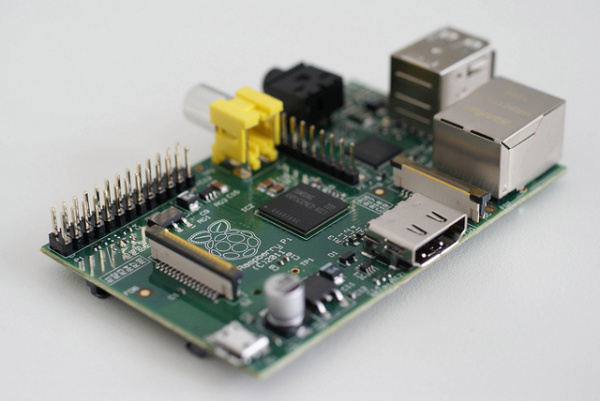
To record the round table I use a Raspberry Pi minicomputer with a sound card plugged in over USB. It runs a Linux-family operating system. You can read about the basic setup from scratch in this article. Once the base system is set up, you need to install a few extra programs:
Installing the required programs
Installing HamLib:
wget http://sourceforge.net/projects/hamlib/files/hamlib/1.2.15.3/hamlib-1.2.15.3.tar.gz
tar -xvzf hamlib*
cd hamlib*
./configure
make
make install
ldconfig
Installing the SOX package:
sudo apt-get install sox
With the programs installed, you can set up scheduled recording off the air. To do that, we’ll write a shell script that automates two steps: setting the right frequency and recording.
Put this in the file ~/bin/recorod_noolru.sh:
# за допомогою бібліотеки HamLib під'єднуємося до RigExpert через USB-порт /dev/ttyUSB0
# і встановлюємо частоту, на якій проводиться круглий стіл, командою F
# вид модуляції встановлюється командою M
# опцією -m вказуємо, що використовуємо трансивер FT-897
# опцією -s вказуємо швидкість CAT-інтерфейсу
sudo rigctl --rig-file=/dev/ttyUSB0 -m 123 -s 4800 F 3645000 M LSB 0

# Тепер вмикаємо запис
# AUDIODRIVER=alsa - вказуємо, який драйвер використовувати
# AUDIODEV=hw:1,0 - задає, яку аудіокарту використовувати, зазвичай це 1
# ~/noolru_27_December_2014.ogg - файл, у який записується ефір,
#                                 використовується змінна, що підставляє дату запису
# gain +20 - це рівень підсилення звуку, підбирається залежно від аудіокарти
# silence 1 00:20 1% - вимикає запис після 20 секунд тиші, та ще магія
sudo AUDIODEV=hw:1,0 AUDIODRIVER=alsa rec -r 22050 -b 16 --channels 1 ~/noolru_$(date +%d_%B_%Y).ogg  gain +20 silence 1 00:20 1%
Once the file is created, make it executable:
chmod +x ~/bin/recorod_noolru.sh
The next step is to have the script run automatically at the set time: every Saturday at 7:55.
For that, add this line to crontab (open it for editing with crontab -e):
55 7 * * 6 /home/pi/bin/recorod_noolru.sh
After that, just remember to leave the transceiver on Friday evening, or early in the morning, whichever works for you, and recording will start on its own.